
Peer Review
Peer Review
What is peer review?
Peer review is the process publishers use to decide whether they will publish new research in a journal. Peer-reviewed journals are also called refereed.
How peer review works:
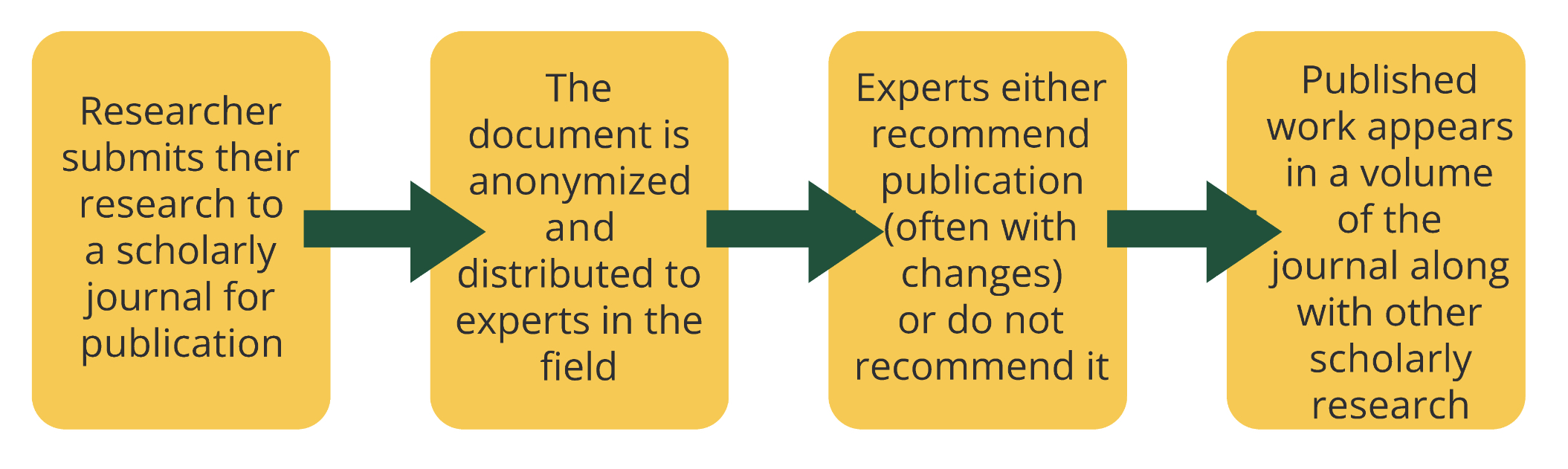

What peer review does:
- Helps to ensure quality of research
- Ensures researcher has used proper methods
- Ensures research is within the scope of the scholarly journal

What peer review does not do:
- Tests for accuracy of stated research results
- Ensures an error-free article — peer review is a human process
Peer review across the disciplines:

Arts
In the arts, research typically refers to creating original art or analytical work. Typical supportive evidence comes from original source materials, books, and peer-reviewed journals.

Humanities
In the humanities, research typically refers to analytical and theoretical work. Typical supportive evidence comes from primary sources, books, and peer-reviewed journals.

Social Sciences
In the social sciences, research typically refers to gathering and analyzing evidence. Typical supportive evidence comes from evidence-based data and peer-reviewed journals.

Natural and Applied Sciences
In the natural and applied sciences, research typically refers to gathering and analyzing evidence. Typical supportive evidence comes from evidence-based data and peer-reviewed journals.
Important note! One field's research is not more important than another. Peer review is only one part of the process of publishing scholarly work and may not be a deciding factor for including a journal article to support your own research question.
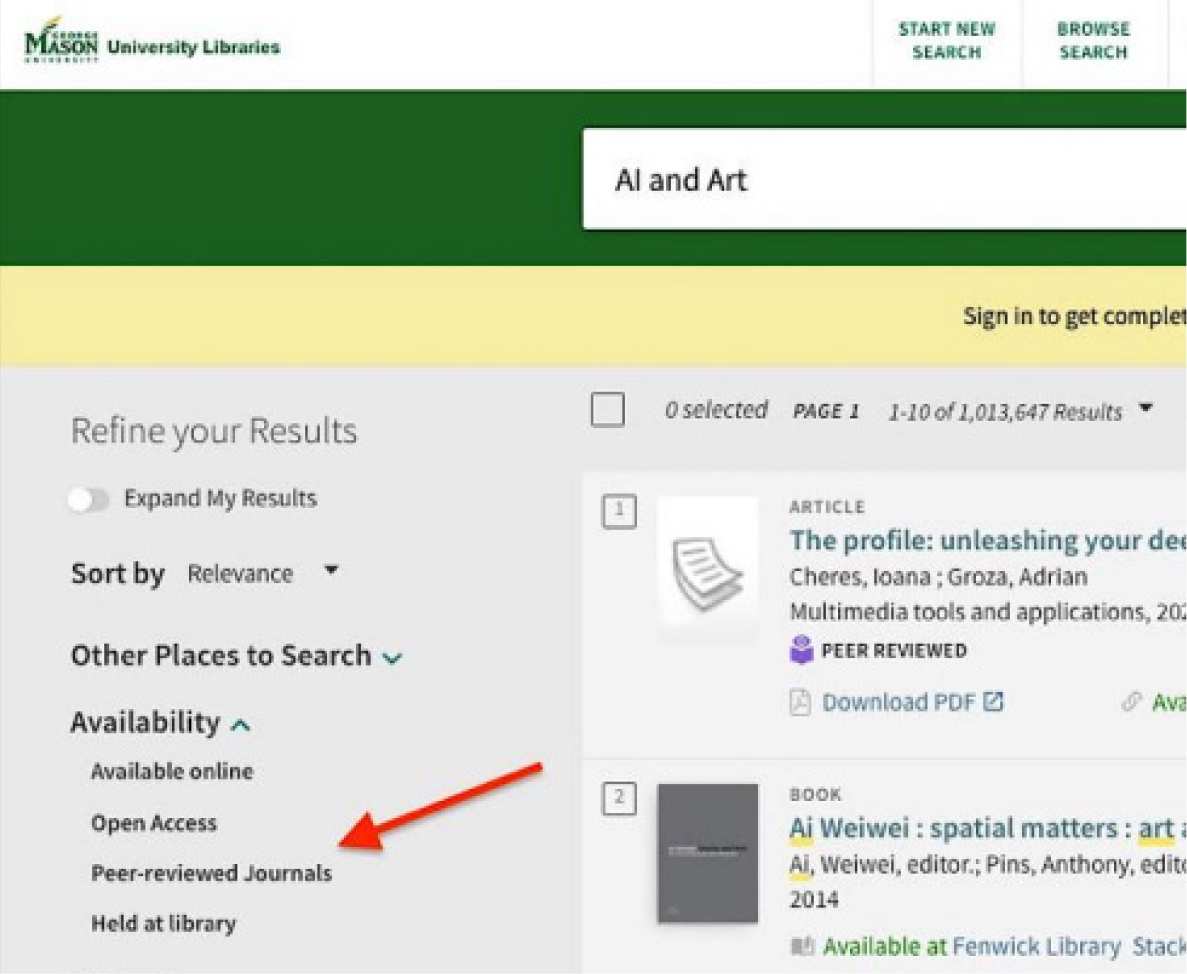
Finding peer-reviewed articles with Mason Search:
- Go to library.gmu.edu.
- Enter search terms in the search box.
- Select the “Peer-reviewed Journals” filter on the left side of the screen.
- Select the green “Apply Filters” button.
Finding peer-reviewed articles in databases:
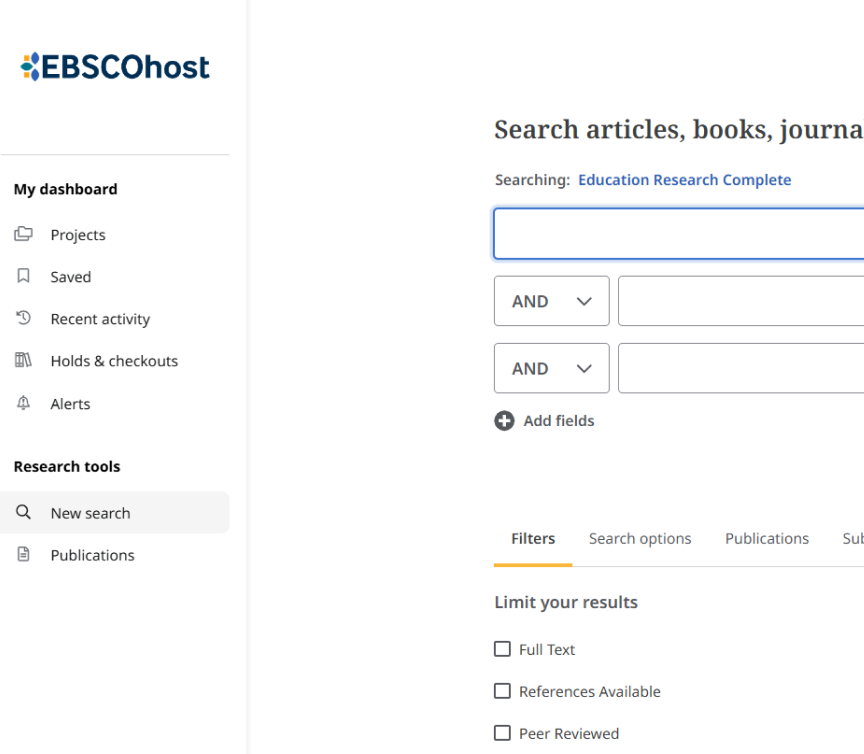
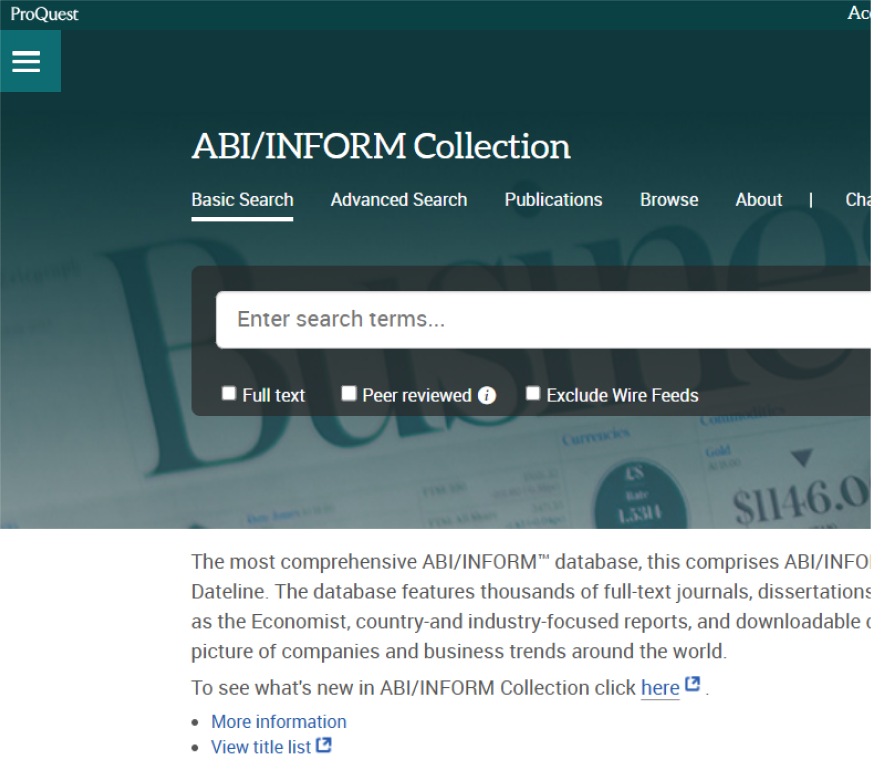
Most of our databases include a “peer-reviewed” filter that limits search results to scholarly, peer-reviewed journal articles. Two exceptions to this are the Medline and Web of Science databases. These databases only provide peer-reviewed journals.
EBSCOhost
ABI/Inform Collection
Interactive Tutorial

Peer Review by The Teaching & Learning Team is licensed under a Creative Commons Attribution 4.0 International License.